A free Windows image viewer built for speed alone. It predecodes neighboring photos and renders with the GPU, so cached photos flip within one frame (16ms). Find photos by name, view PDF and XLSX, flip through ZIP archives, 4 themes, auto-update. Installer or portable, about 1MB.
v2.0.4·Published June 25, 2026·Updated October 15, 2026·Downloads 9,068
#이미지뷰어#빠른이미지뷰어#무료이미지뷰어#윈도우사진뷰어#초고속이미지뷰어#PC이미지검색#사진찾기#초성검색#자동업데이트#PDF뷰어#사진뷰어추천#꿀뷰대안#포터블#무설치#GPU이미지뷰어#다크모드뷰어#JPEG뷰어#BoltView#번개뷰+13Official site
Free · Windows image viewer · Installer · Portable
Already open when you click, and the next photo shows instantly
BoltView is a Windows image viewer built from scratch with one goal: speed. It decodes the photos before and after the one you are viewing in advance and lets the graphics card handle screen transitions, so a photo that has been loaded once flips in a single frame (about 16ms). Finding photos by name, viewing PDF and Excel files, and flipping through ZIP archives all fit in an executable of about 1MB.
Free · No adsInstaller · PortableWindows 10 / 11한국어 · English · 日本語 · 中文
16ms
Next photo transition
For cached photos
2~4×
Faster JPEG decoding
libjpeg-turbo SIMD
1MB
Program size
BoltView.exe
$0
Price
No ads, no account
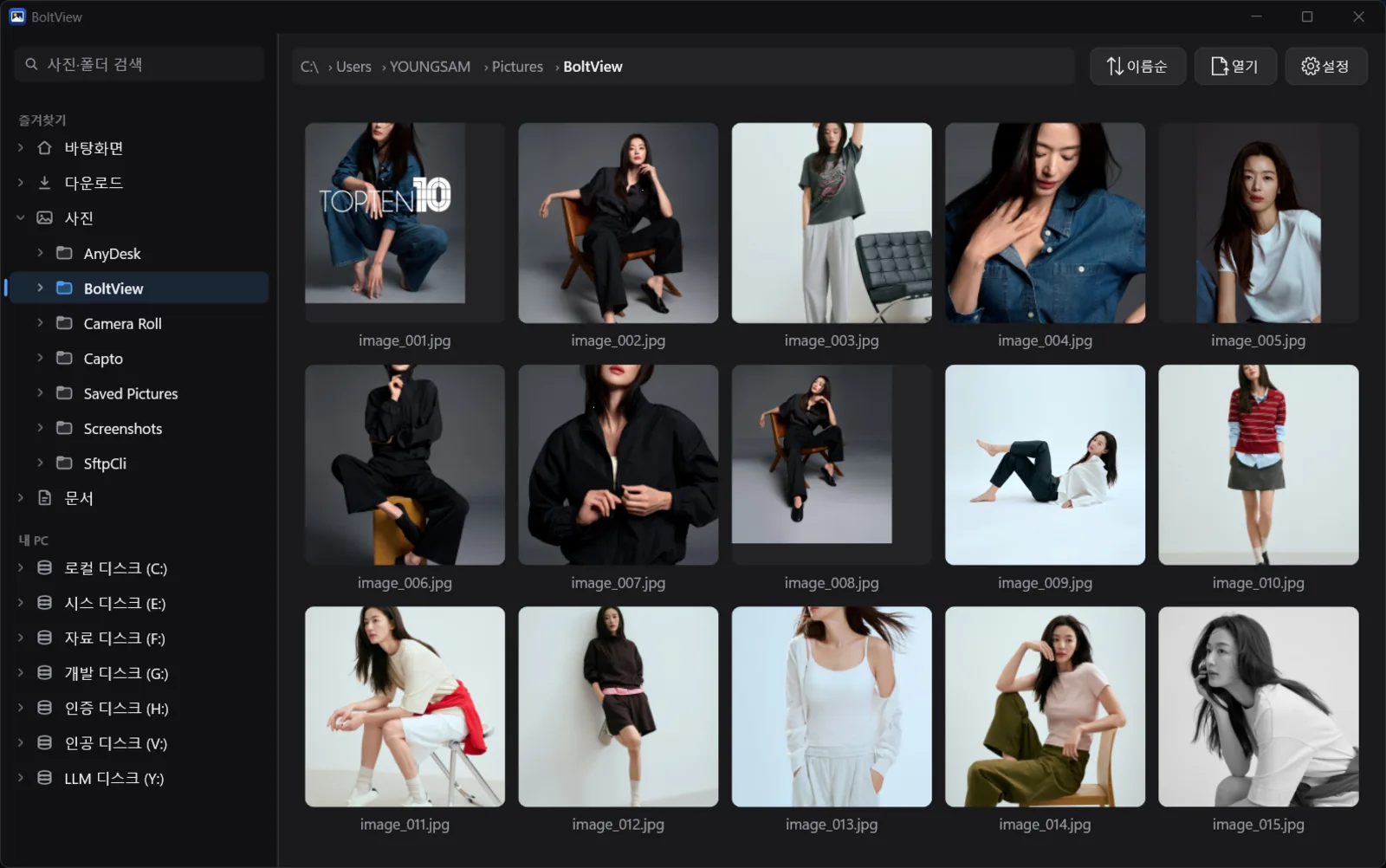
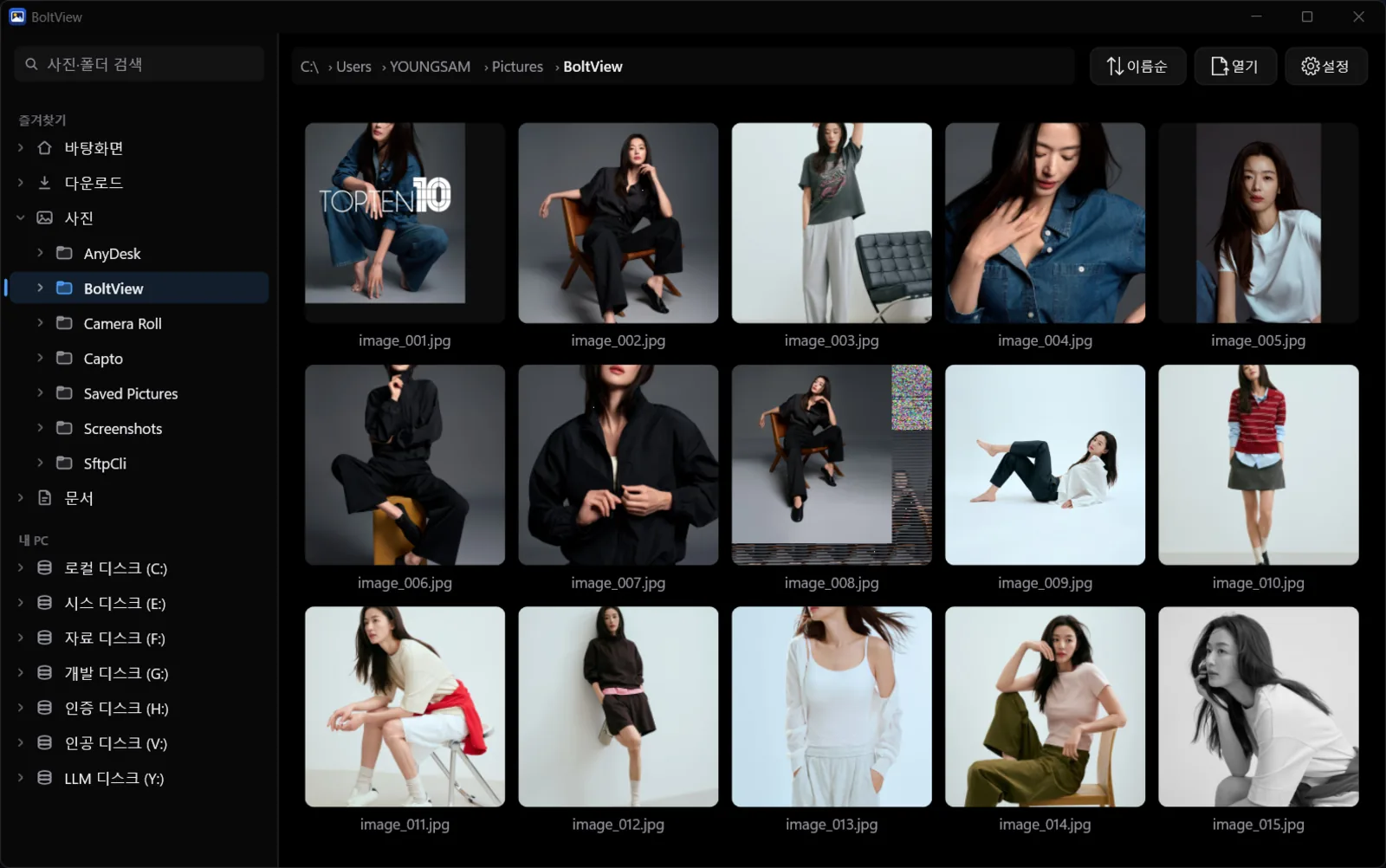
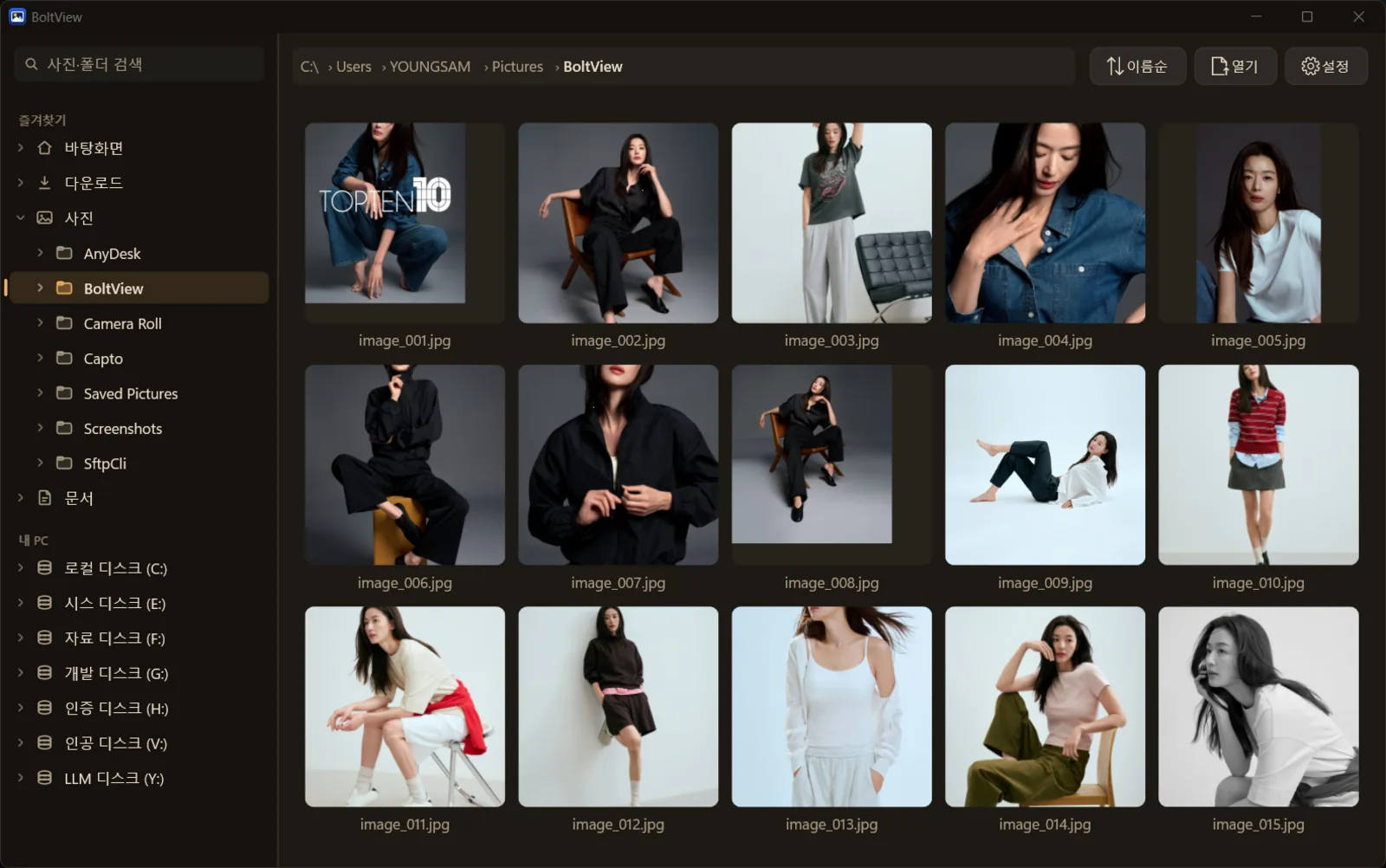
Gallery start screen — folder tree and favorites on the left, thumbnail grid on the right. Click a photo to open it full size instantly.
01 · WHY FAST
Why it's fast — it never decodes at the moment of display
Image viewers are slow not because of the time spent reading files, but because of the time spent decoding compressed JPEG and PNG data. BoltView is designed around a single principle: "never decode at the moment of display."
⏭️
Predecoding
Photos before and after the current one are decoded in the background. Next and previous flip with no waiting.
🖥️
GPU rendering (Direct2D)
The graphics card handles zoom and rotation, so screen transitions finish within one frame.
♻️
Memory cache
A photo you have already viewed is never decoded again.
⚡
libjpeg-turbo
Decodes JPEG 2–4× faster with SIMD.
Item
Typical viewer
BoltView
Next photo
Decodes every time you flip
Shows the predecoded photo instantly
Zoom · Rotate
Done on the CPU
Graphics card (Direct2D)
Viewing again
Decodes again every time
Straight from the cache
JPEG decoding
Standard decoder
libjpeg-turbo (SIMD)
Footprint
Heavy or needs a runtime
Single native exe, no runtime
※ "Typical viewer" refers to a common architecture, not a specific product; actual products vary.
02 · VIEWER
Viewing and file management — everything you need
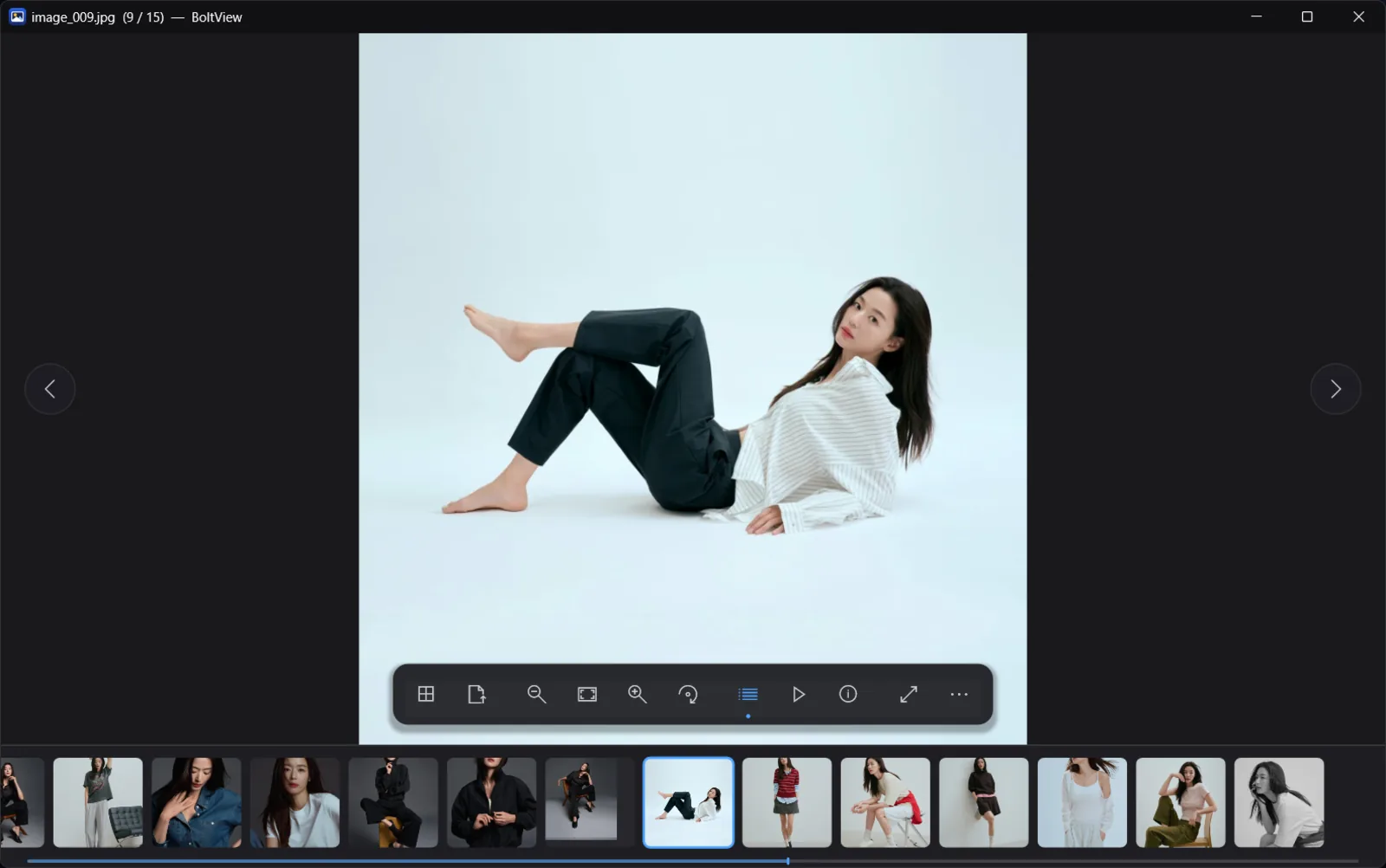
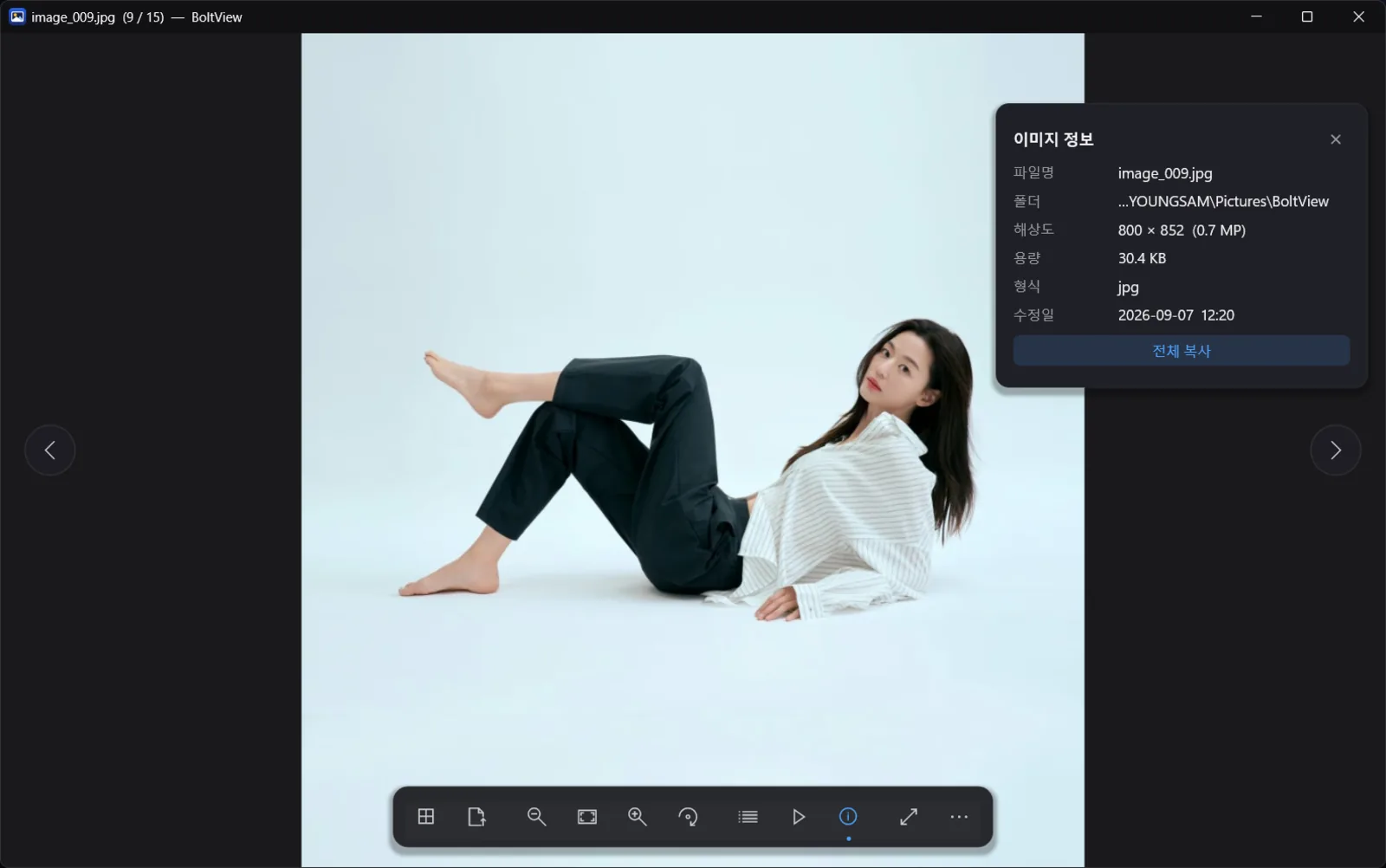
Filmstrip and toolbar — flip through photos while seeing neighbors in the bottom strip, and rotate, zoom or delete from the toolbar.Info panel — overlay details such as file size, resolution and date on the photo.
🔍
Viewing
Fit, 100% and fill, cursor-centered wheel zoom, rotate and flip, EXIF auto-rotation, animated GIF.
🗂️
File operations
Delete to Recycle Bin (with confirmation), copy, save as (lossless JPEG rotation), set as desktop background, open file location.
🖼️
Gallery
Folder tree + thumbnails, pinned favorites and recent folders, multi-select with drag, Ctrl and Shift.
▶️
Slideshow · Filmstrip
Full keyboard shortcuts, high-DPI display support, fullscreen.
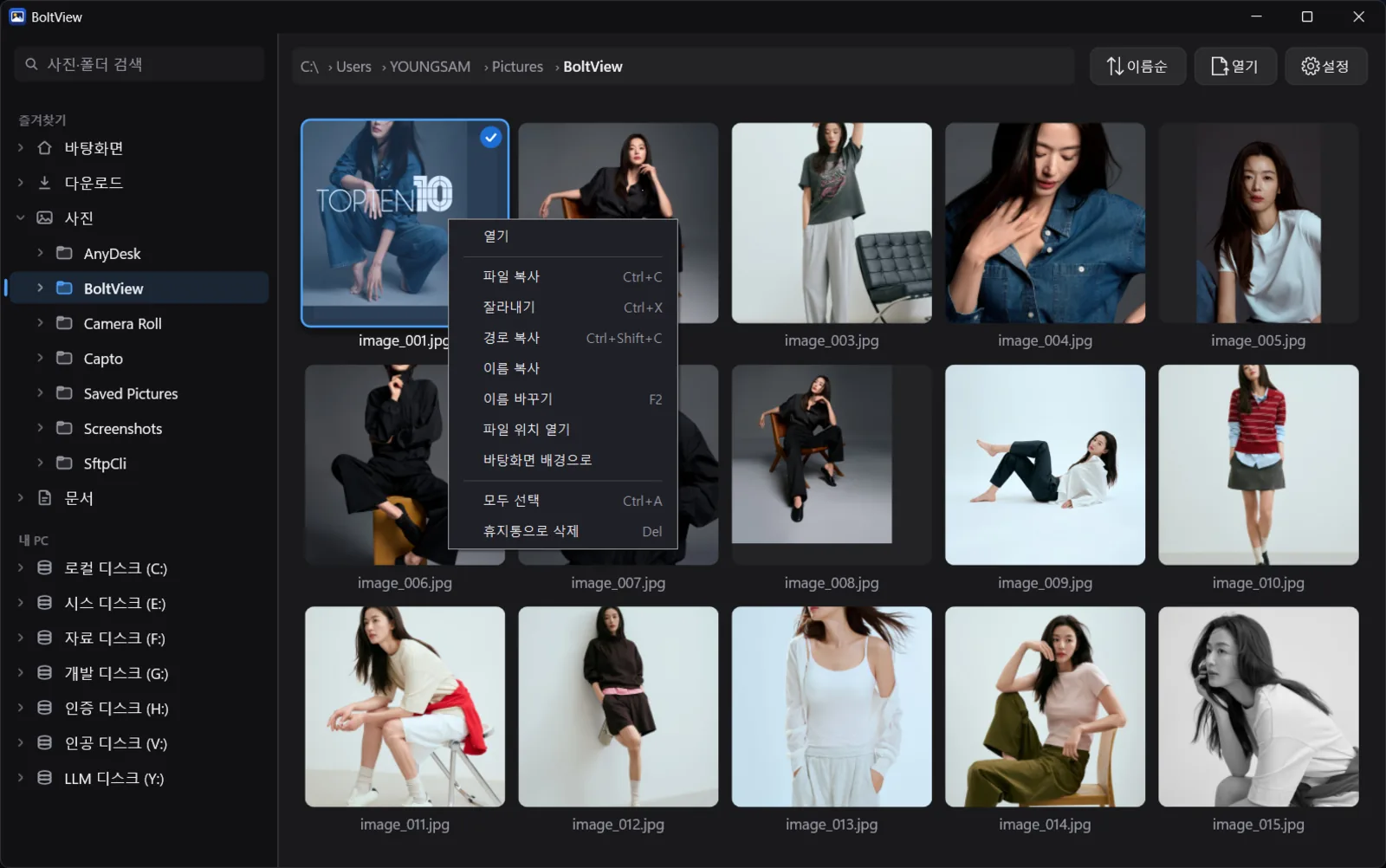
Right-click menu — even with the menu turned off, Shift + right-click opens the full menu (2.0.4). Right-clicking an image in File Explorer also shows "Open with BoltView".
03 · SEARCH
Find photos by name — even by Korean initial consonants
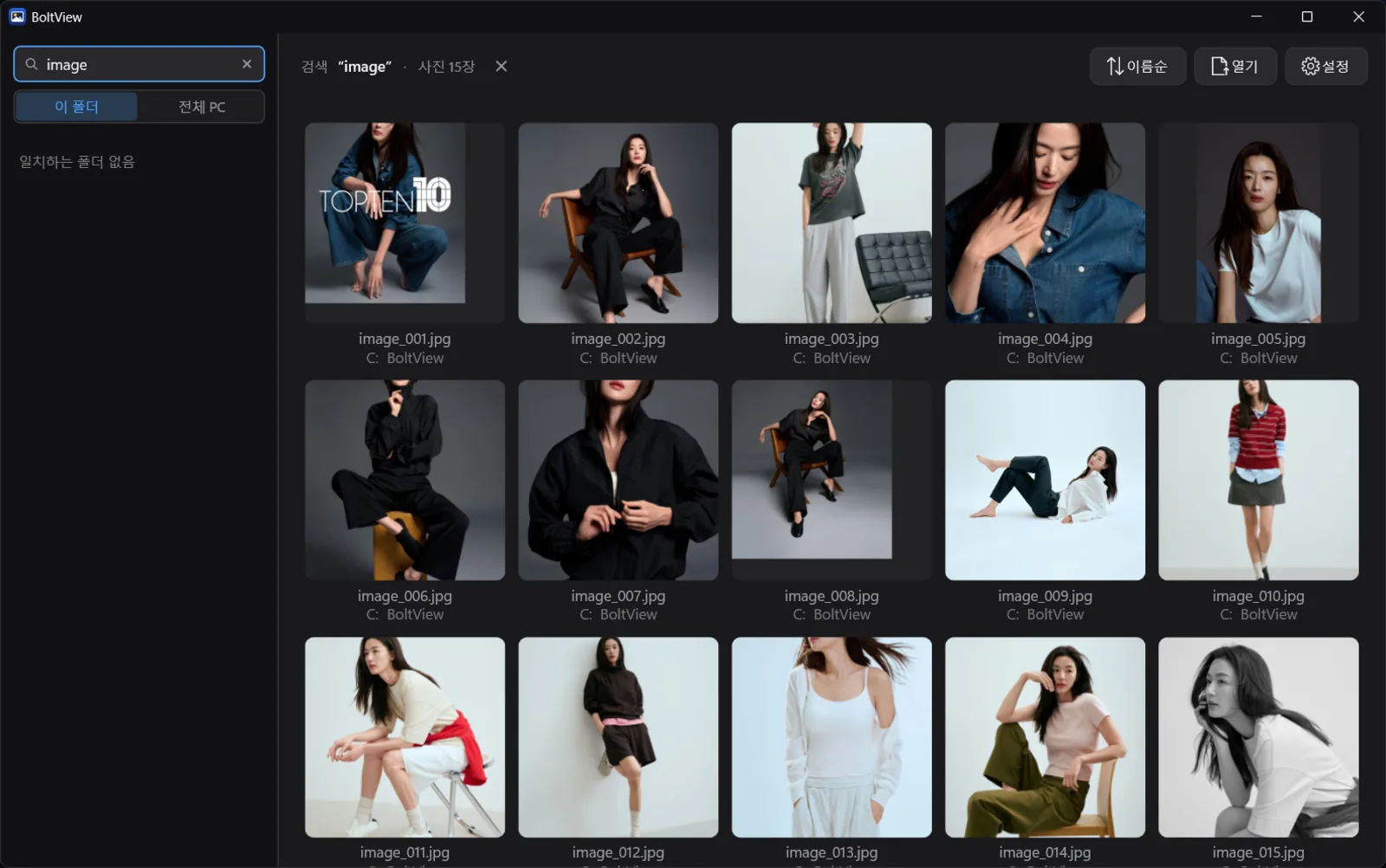
When you can't remember which folder you put something in, instead of waiting on Explorer search and then reopening the file in a viewer, you search by name inside BoltView and flip through the results right there.
ㄱ
Initial-consonant search
ㄱㅎㅍ → 김학필.jpg (Korean example: typing just the initial consonants of a name finds the file).
🎯
Only what you typed
No fuzzy "close enough" matches, so everything in the list is what you were looking for.
⌨️
Live while composing
Results update even while a Korean character is still being composed by the IME.
🌐
This folder · Whole PC
Switch the scope inside the app. Whole-PC search borrows the FastFind index.
Search results — found photos are shown in a grid; click one to open it full size and flip through.
Whole-PC search borrows FastFind's index. BoltView does not build an index of its own; if FastFind — a free file search tool by the same developer — is installed, it only reads that index. The viewer never crawls your disk in the background, and without FastFind it searches the current folder. (FastFind measured: first-query response of 5.3ms on an index of 4.66 million entries, index size 65.9MB)
04 · DOCUMENTS
Documents and archives in the same window
PDFs are rendered by BoltView itself rather than handed to the Windows preview. Open and flip through them just like photos.
Opens without Office
PDF · XLSX · CSV · text · JSON. No Excel or Word installation required.
Needs the associated program
DOCX · PPTX · Hangul (HWP) · legacy XLS. These go through the Windows preview, so the program that opens the file must be installed on the PC.
ZIP
Opens archives as-is without extracting and flips through them page by page. Handy for comics and scanned sets.
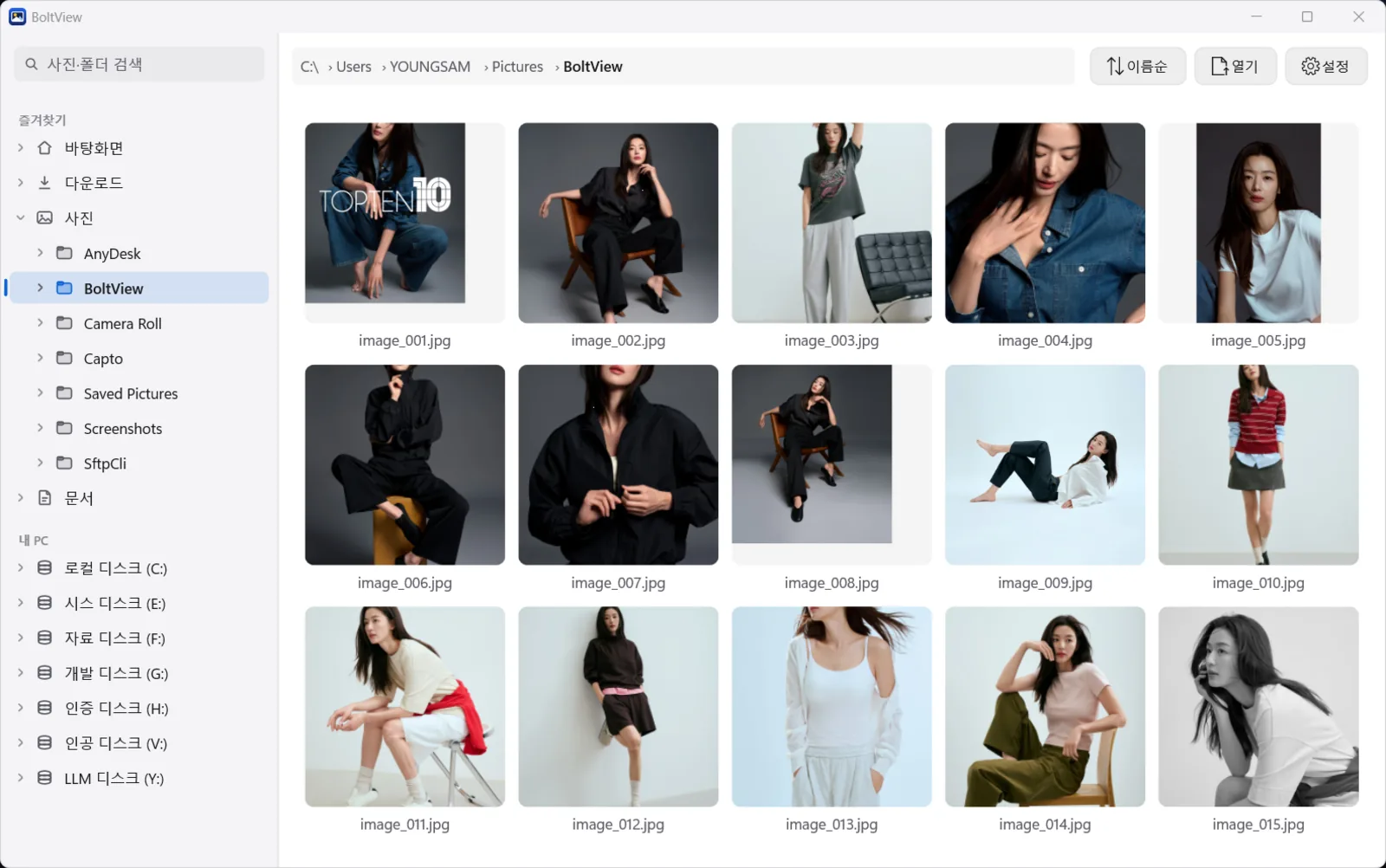
Dark · Light · Black (OLED) · Night (sepia), plus follow-system. Menus are available in 한국어 · English · 日本語 · 中文.
Light — for bright offices.Black (OLED) — a pure black background.Night (sepia) — warm tones that are easy on the eyes at night.
06 · UPDATE & SETTINGS
Auto-update only checks — you decide whether to download
Since 2.0.1, BoltView checks for new versions on its own. But it only checks.
1Checks once a day
20 seconds after the window opens, it checks just the version number, once a day.
2Notification only
If a new version exists, a notice appears at the bottom of the screen. Nothing is downloaded until you click it.
3SHA-256 verification
The file is replaced only if its hash matches; otherwise it is discarded.
4Restarts automatically
Once the update is applied, BoltView relaunches.
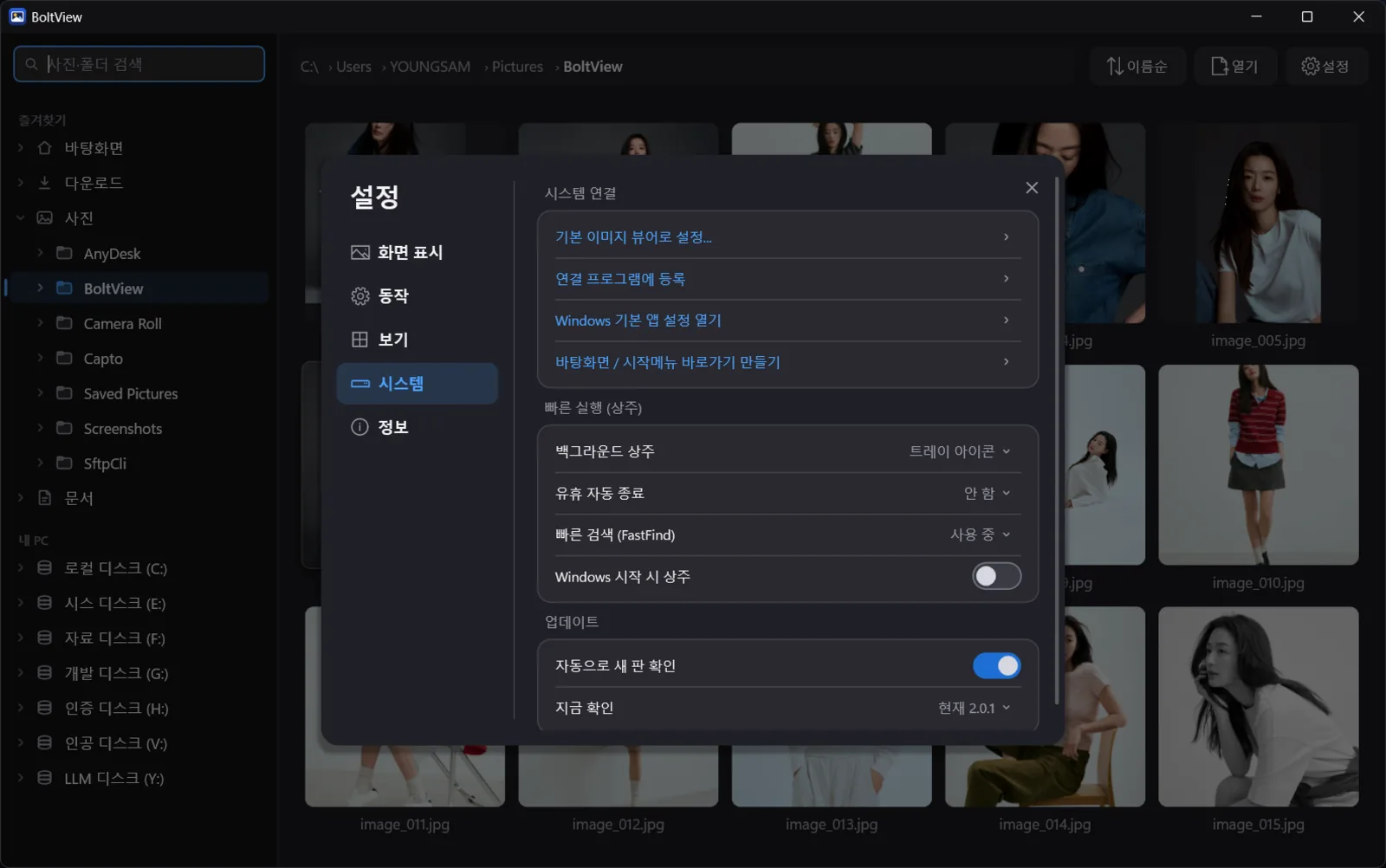
Settings › System — set the default image viewer, create shortcuts, stay in the tray (quick launch), connect FastFind and manage auto-update in one place.
✓Nothing is sent to the server. It only downloads.
✓Turning it off in [Settings › Update] means the networking DLL is not even loaded.
✓With [Settings › System › Set as default image viewer], double-clicking a photo opens it in BoltView.
✓Enable running in the background (tray icon) to make the next launch even faster.
07 · SHORTCUTS
Key shortcuts
← / →Previous · Next
SpaceNext
WheelCursor-centered zoom
FFit to screen
F11Fullscreen
DelMove to Recycle Bin
EscBack to gallery · Close
Shift+Right-clickFull menu
08 · DOWNLOAD
Download
InstallerRecommendedAbout 2.6MB
BoltViewSetup-2.0.4.exe
✓Adds Start menu entry and shortcuts
✓Explorer "Open with BoltView"
✓Uninstall from Windows Settings › Apps
PortableRun from USBAbout 0.9MB
BoltView-2.0.4-portable.zip
✓Extract and run BoltView.exe
✓turbojpeg.dll stays in the same folder
✓To remove, delete the folder
OSWindows 10 / 11 64-bit
Built withC++17 · Win32 API (native), Direct2D · WIC · DirectWrite, libjpeg-turbo — a single executable with no external runtime
"Windows protected your PC" on first launch This notice appears because it is an independently developed program without a code-signing certificate. Click "More info" → "Run anyway". You can use the SHA-256 values below to confirm the downloaded file matches the original.
I'm looking for a fast free image viewer — how fast is BoltView?
It decodes the photos before and after the current one in advance (predecoding), lets the graphics card (Direct2D) handle screen transitions, and reuses photos you have already viewed from a memory cache. As a result, cached photos flip within one frame (about 16ms), and JPEGs are decoded 2–4× faster with libjpeg-turbo.
Is BoltView free?
Yes, it is completely free. There are no ads and no sign-up, and both an installer and a portable version are provided.
Which image formats are supported?
JPEG, PNG, GIF (animated), WebP, TIFF, BMP, ICO and HEIC. HEIC requires the Windows HEIF codec.
Can it open PDF or Excel files too?
PDF, XLSX, CSV, text and JSON open without Office. PDFs are rendered by BoltView itself so you can flip through them like photos. DOCX, PPTX, Hangul (HWP) and legacy XLS go through the Windows preview, so the program that opens those files must be installed on the PC. ZIP archives can be flipped through page by page without extracting.
Can I find a photo if I don't remember which folder it's in?
Just type part of the name. It supports Korean initial-consonant search (typing ㄱㅎㅍ finds 김학필.jpg), and because it matches only exactly what you typed, everything in the list is what you were looking for.
Do I need FastFind to search for photos across my whole PC?
Whole-PC scope requires the FastFind index. BoltView does not build an index of its own; it only reads FastFind's index. Without FastFind, it searches within the folder you are currently viewing.
How do updates work?
Auto-update is supported since 2.0.1. Twenty seconds after the window opens, it checks just the version number once a day and only shows a notification if a new version is available. Nothing is downloaded until you click it, and a downloaded file is applied only if its SHA-256 matches. You can turn it off in [Settings › Update].
Can I set it as my default image viewer?
Set it in [Settings › System › Set as default image viewer]. Registering file associations, opening Windows default app settings, and creating desktop and Start menu shortcuts are in the same place.
Can I use it instead of Honeyview or the Windows Photos app?
If you mainly want to flip through photos quickly, yes. It has a gallery, slideshow, rotation with lossless save, an info panel and four themes, and the executable is a light ~1MB.
"Windows protected your PC" appears — is that OK?
This notice appears because it is an independently developed program without a code-signing certificate. Click "More info" → "Run anyway". You can first use the SHA-256 values on this page to confirm the downloaded file matches the original.
Windows is a trademark of Microsoft Corporation. Honeyview is a trademark of its respective owner and is not affiliated with BoltView.
Version history(8)
v2.0.4Latest
September 9, 2026
우클릭 메뉴를 꺼 두셔도 Shift + 우클릭이면 전체 메뉴가 열립니다. 그리고 탐색기에서 이미지를 우클릭했을 때 'BoltView로 열기'가 나오도록 하는 설정을 넣었습니다(설정 → 시스템, 기본 꺼짐). 기본 이미지 뷰어 설정은 바뀌지 않고, 끄면 깨끗이 지워집니다. Windows 11 에서는 '추가 옵션 표시' 안에 나옵니다.
설정 → 보기 → 기본 폴더를 누르면 프로그램이 멈추던 문제를 고쳤습니다. 1.3.1 에서 올라오신 분들의 폴더 경로가 기호로 깨져 보이던 것도 되살렸습니다 — 다시 고르지 않으셔도 됩니다. '이미지 위 정보 표시'를 '항상'으로 두어도 잠시 뒤 사라지던 것을 고쳤습니다. 설정을 처음 상태로 되돌리는 기능을 넣었습니다(설정 → 정보 → 설정 초기화). 창 크기와 즐겨찾기는 그대로 둡니다.
화면 오른쪽 스크롤 막대를 마우스로 끌어 내릴 수 있게 했습니다. 막대 위아래 빈 곳을 누르면 한 화면씩 넘어갑니다. 전체화면에서 메뉴나 설정을 열어 둔 채 잠깐 손을 멈춰도 마우스 화살표가 사라지지 않습니다. 사진을 열 때 바로 전체화면으로 시작하도록 고를 수 있습니다(설정 → 보기 → 열 때 보기 모드). 폴더 목록과 사진 사이 경계선에 마우스를 올리면 굵은 띠가 생기던 것도 얌전하게 다듬었습니다.