
Paste and you're done.
1 million keywords in 0.05 seconds.
Are you still joining search-ad keywords, shop product names and blog titles one by one in Excel? DD Keyword Combinator builds every possible combination the instant you drop in word lists split by things like region, service and modifier — all possible combinations at once. There's no run button either. Results appear on the right as you type, and one copy pastes them straight into your ad platform.
0.02s launch → ready to type |
0.05s 1M combos + dedup |
0.5s 10 million max combos |
30MB idle memory CPU 0% |
0KRW single portable EXE no ads |
Measured on the test PC (AMD Ryzen 9 3900X, 12 cores). The screen never freezes even while computing large combinations (key input under 10 ms), and the list scrolls instantly even at 10 million rows. Results vary by PC.
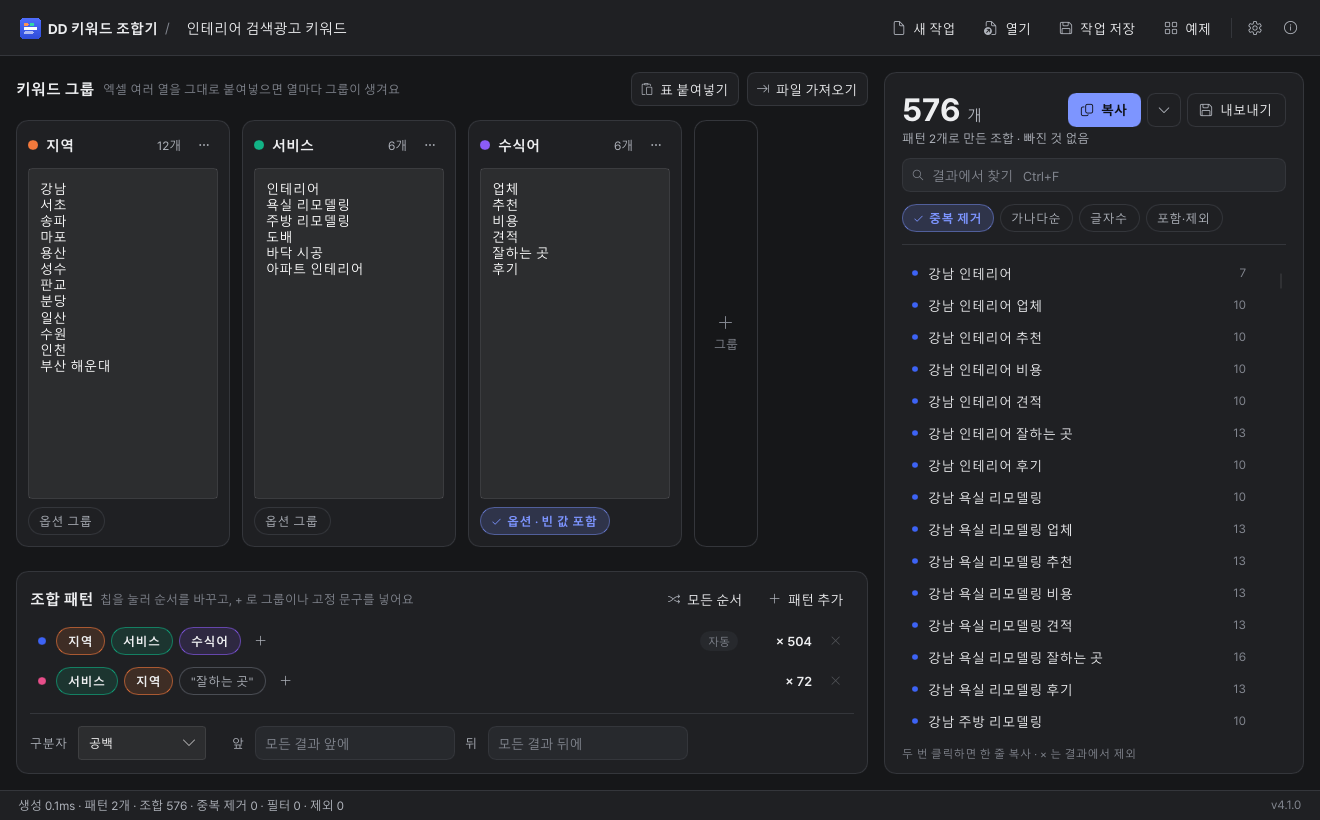
What DD Keyword Combinator is
Put word lists split up like region, service and modifier into groups, and it instantly builds every combination across the groups. It also builds order-swapped patterns at the same time — like "Gangnam interior firm" and "interior Gangnam best shop" — and removes duplicates automatically. Copy columns straight from Excel and paste, and each column becomes its own group.
A perfect fit if you're a…
| Search-ad marketer | Naver · Google · Kakao. 30 regions × 10 industries × 8 modifiers = 2,400 niche keywords at once. |
| Shop / Smart Store seller | Mass-generate product-name and tag candidates from brand × product × attribute. Use "copy joined by commas" to paste straight into the tag field. |
| Blogger / SEO manager | Draw up title candidates from topic × method × target ("diet routine for office workers"), then keep only the right lengths with the character-count filter. |
| Heavy AI-prompt user | Combine role × tone × task to create prompt variations all at once. |
| Anyone still joining in Excel | Finish the repetitive one-by-one joining with a single paste. |
Done in 3 steps
- Copy the region / service / modifier columns straight from Excel and paste (Ctrl+V) into the first group — each column becomes a group automatically, and "first line as name" makes the header the group name
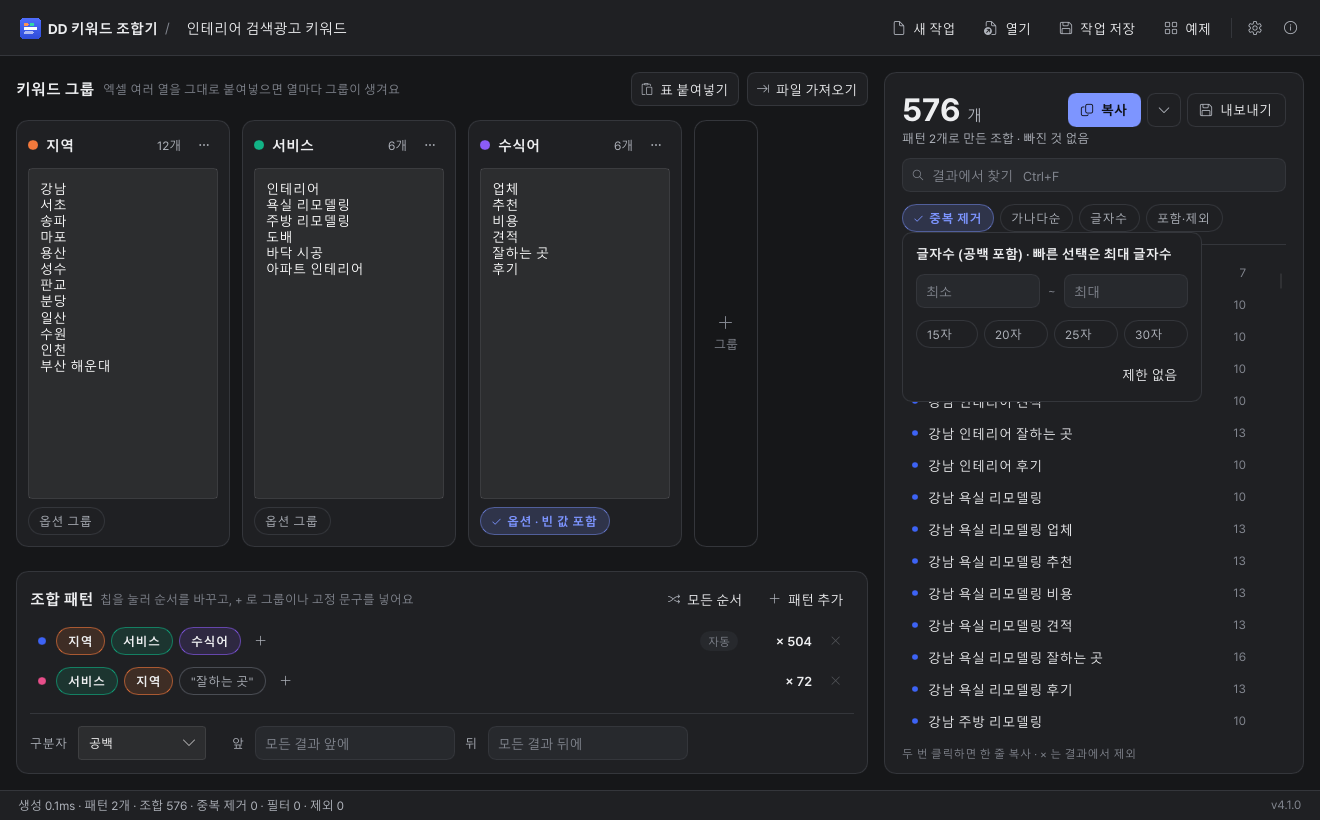
- Combinations appear right away on the right. Filter by character count or include/exclude words if needed
- One "Copy," or save as TXT / Excel / CSV with "Export"
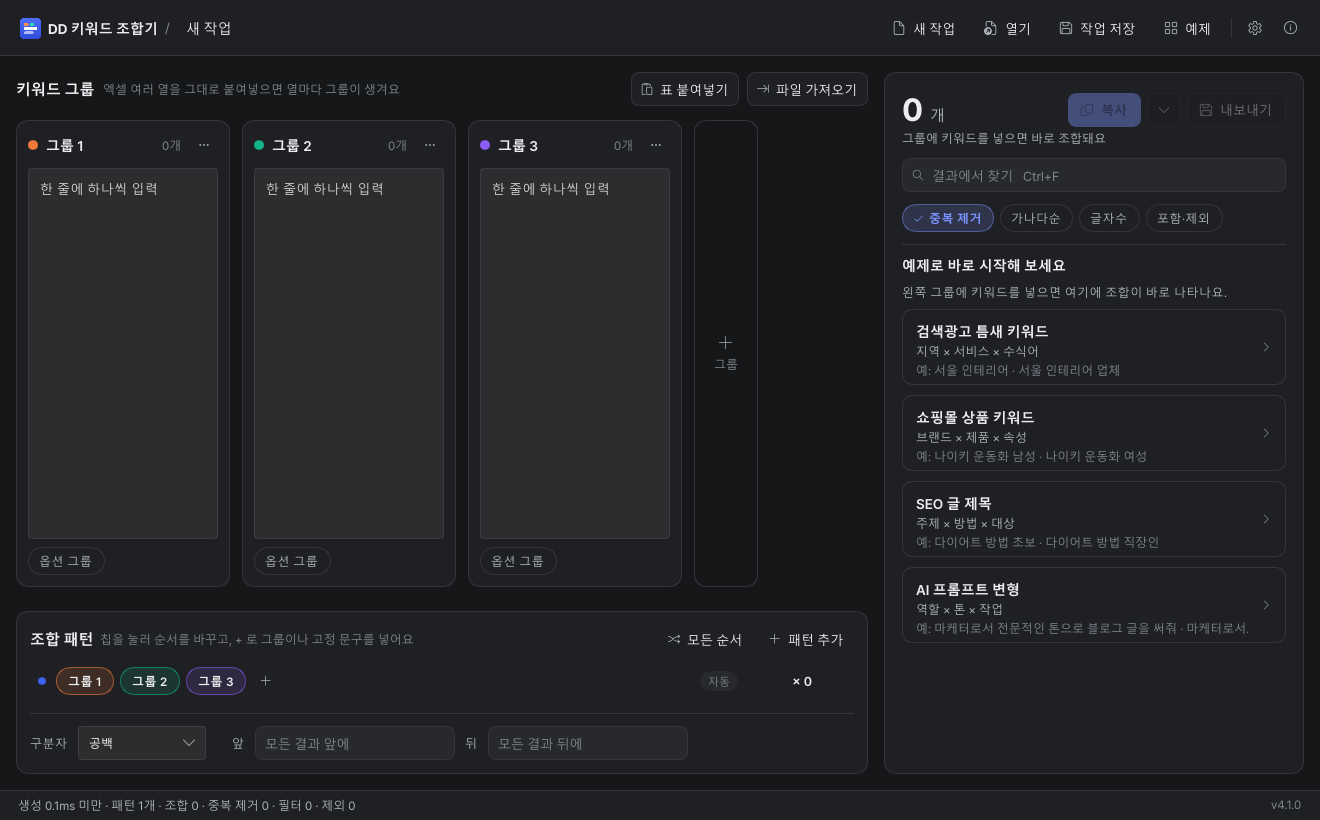
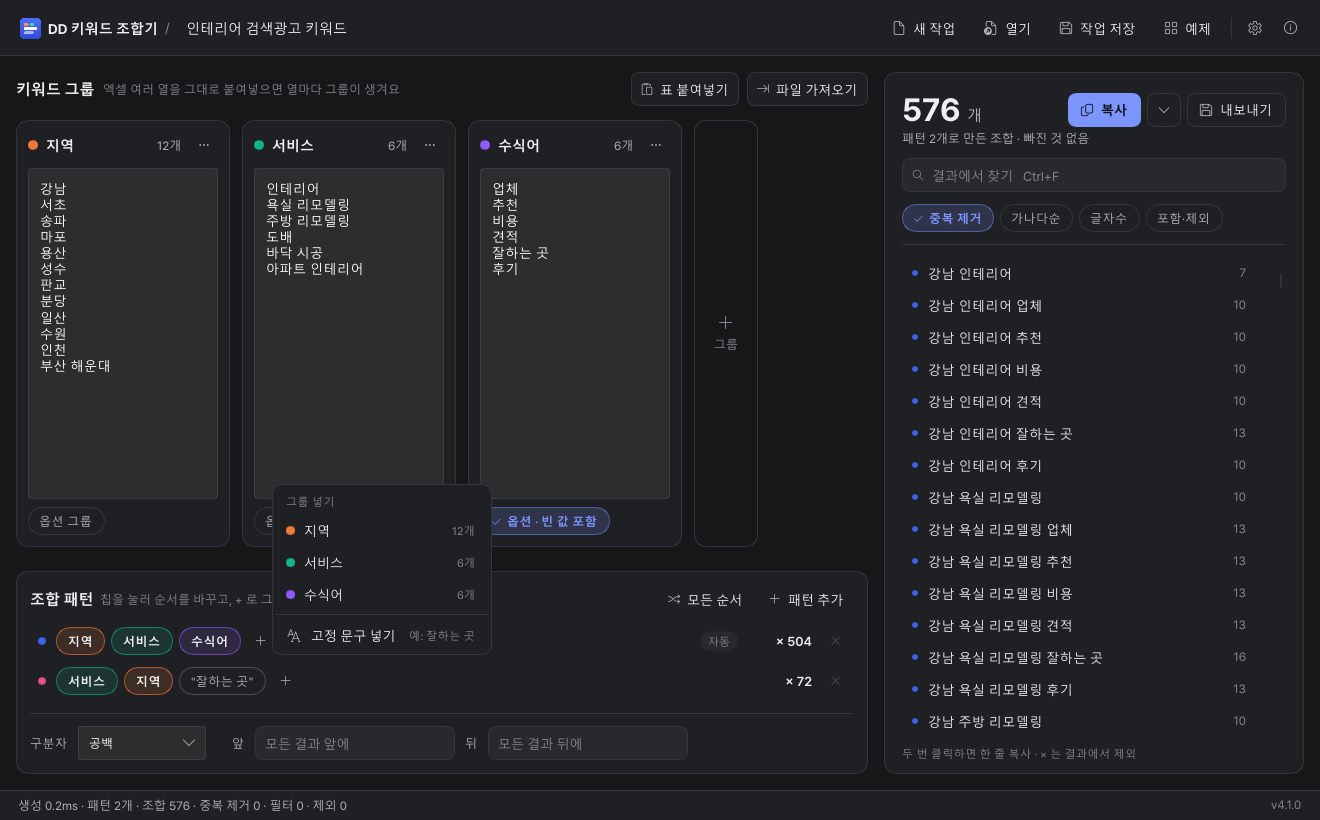
New in v4.1 — four languages
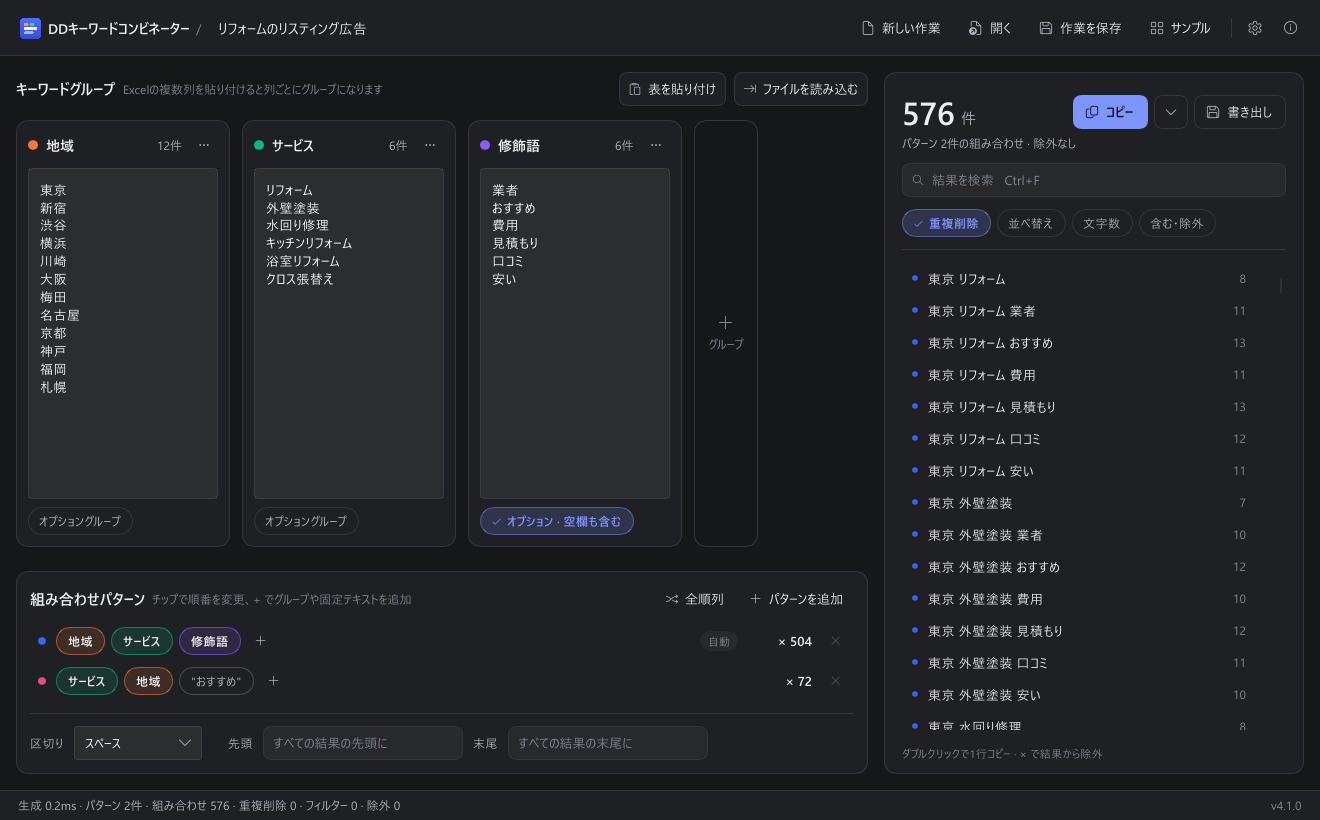
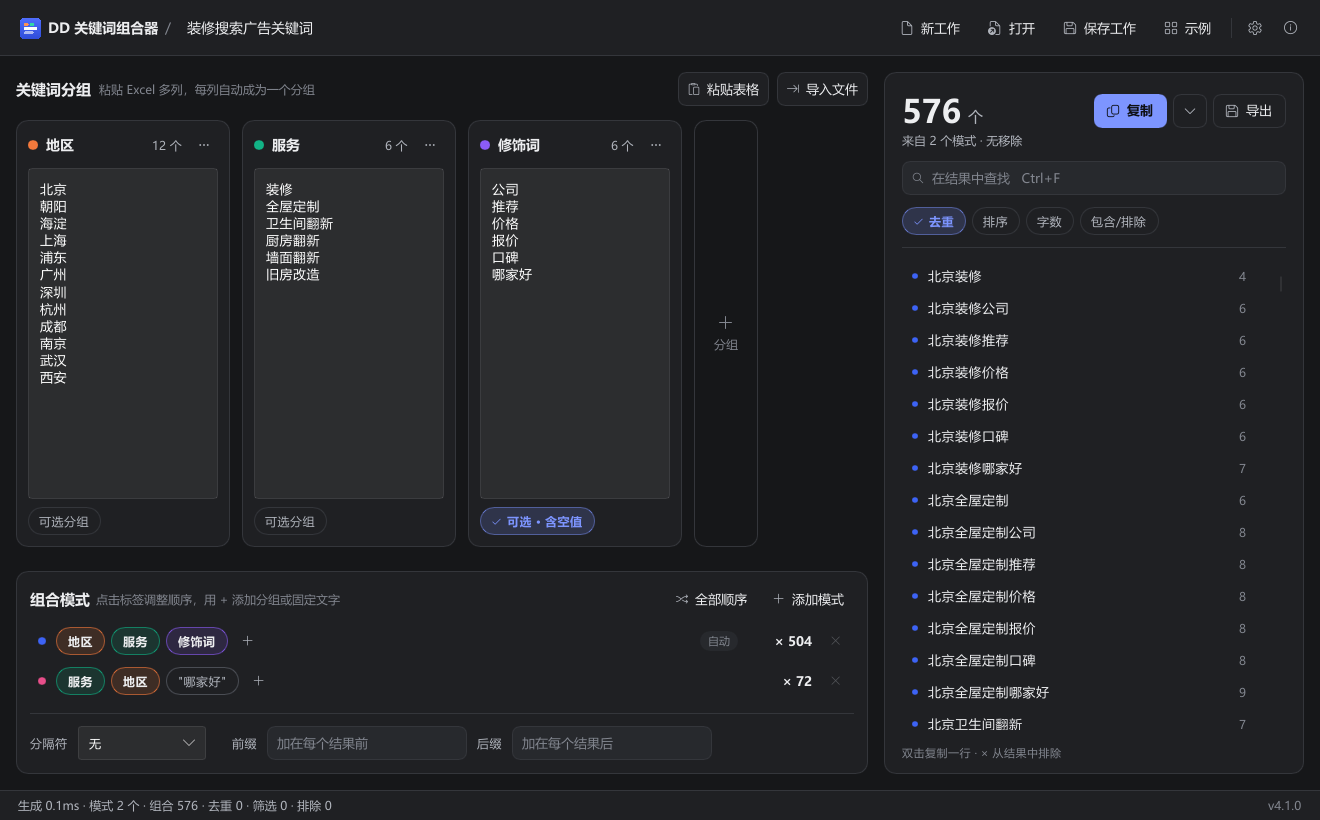
- Korean · English · 日本語 · 简体中文 interfaces are all supported
- It switches automatically to match your Windows display language, and you can also pick it under Settings > Language (applied instantly, no restart)
- Each language ships with examples suited to that country (English: New York plumber near me / Japanese: 東京 リフォーム 業者 / Chinese: 北京装修公司)
- Japanese and Chinese screens render cleanly in Windows' default fonts, and a project TXT file saved in any language opens the same in any other language
- You can build overseas-ad (Google, Yahoo Japan, Baidu) keywords the same way
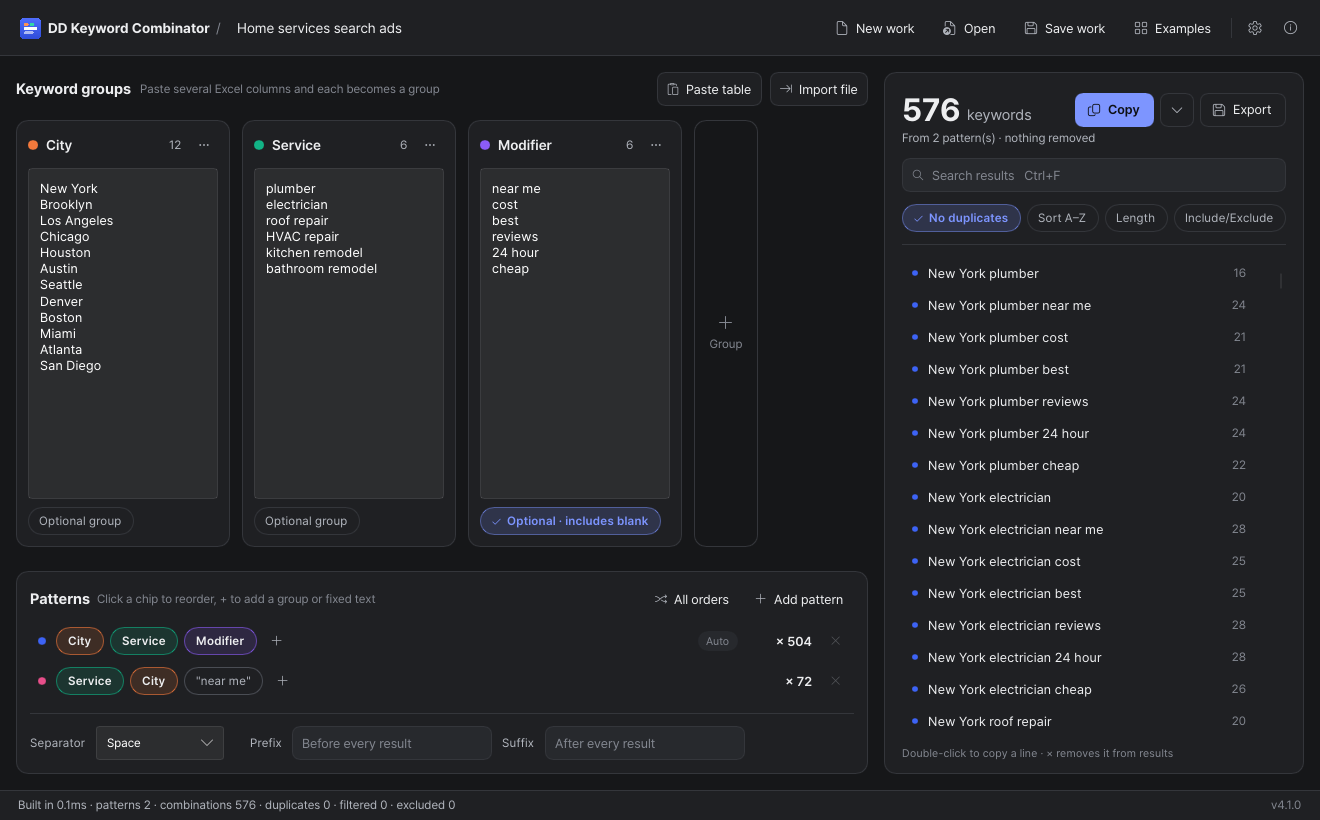 English |
 日本語 |
 简体中文 |
What's new in v4
- Live combination — results change the instant you type, with no run button
- Excel table paste — paste several columns at once and each becomes a group (TXT / CSV import too)
- Option groups — put a modifier like "firm/recommended/cost" in or out within a single pattern ("Gangnam interior" and "Gangnam interior firm" at once)
- Fixed phrases — insert a word that always appears, like "best shop," in the middle of a pattern
- Auto-generate all orders — one button builds every order-swapped pattern of the groups
- Find & exclude right in the results — search, and drop an awkward combination with a single × (the exclude list is saved with the project)
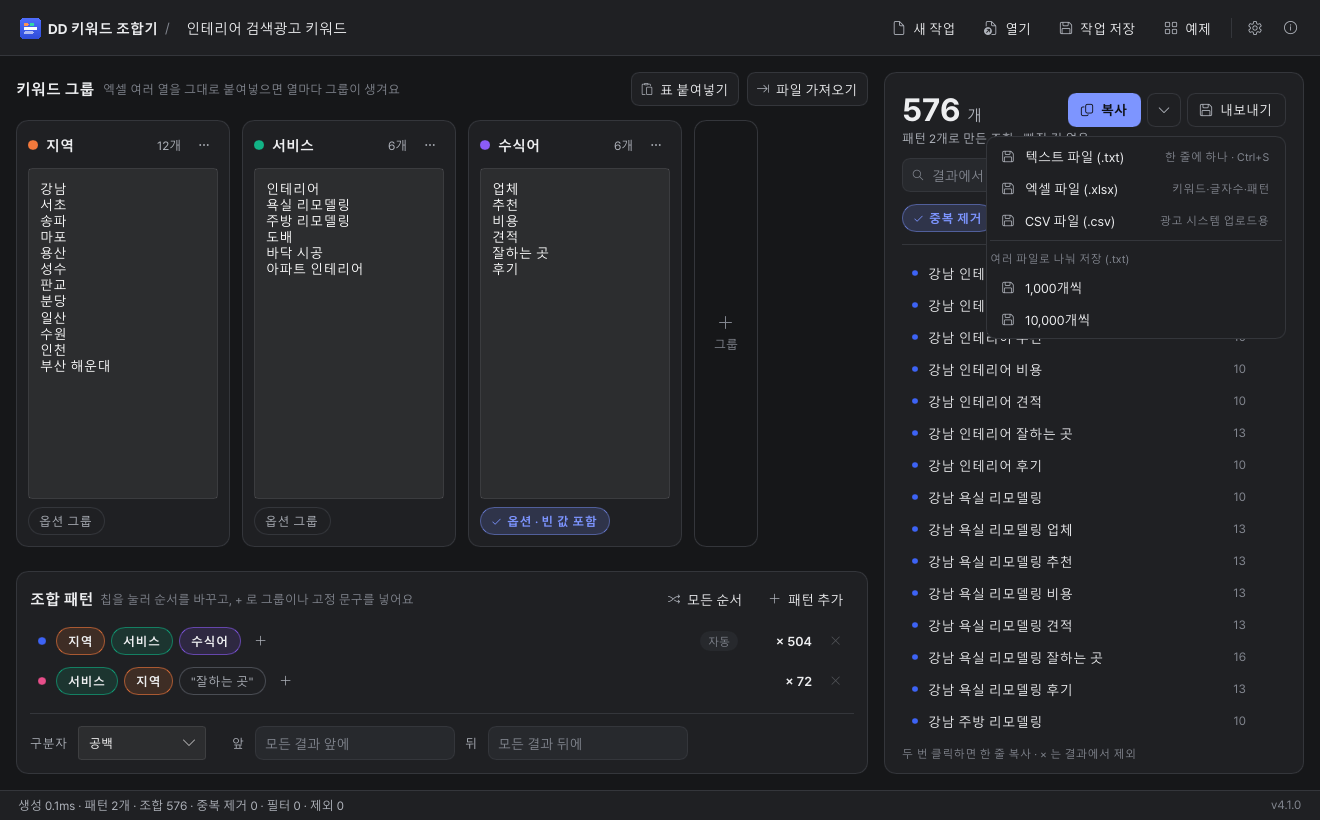
- Export — TXT, Excel (.xlsx), CSV (no garbled Korean), split into files of 1,000 or 10,000 (for ad-platform upload limits)
- Project save — saved as a TXT file that opens in Notepad; you can edit it directly and reopen
- Tidy up groups — remove blank lines and duplicates and sort alphabetically, all at once
- Undo anything — group deletion, opening an example, exclusion — all restored right away via "Undo" in the toast
- Auto-save — saves on exit and resumes where you left off next time
- Dark / light theme (follows the Windows setting automatically), with 6 accent colors. Ctrl+A·C·V·Z work even with the Korean IME or Caps Lock on
Shortcuts
Ctrl+Shift+C | Copy results |
Ctrl+S | Save results |
Ctrl+Shift+V | Paste Excel table |
Ctrl+Shift+S / Ctrl+O | Save project / Open project |
Ctrl+N / Ctrl+F | New project / Find in results |
Ctrl+D | Toggle dedup on/off |
Installation and requirements
| Operating system | Windows 10 / 11 (64-bit) |
| Installation | None. DDKeywordCombinator.exe: run the single exe and you're done. No runtime needed |
| Internet | Fully offline. What you type is stored only on your PC (%APPDATA%\DDKeywordCombinator\v4) |
| Language | Korean · English · 日本語 · 简体中文 |
| Price | Free for individuals and businesses · no ads |
# PowerShell
Get-FileHash .\DDKeywordCombinator.exe -Algorithm SHA256

# Expected (v4.1.0)
# DDKeywordCombinator.exe
# 9fffcfd66a8c5bae714c9c78eb3473e7a1cd1faaa2e22e17ed938dcff623f7df
#
# DDKeywordCombinator-v4.1.0.zip (zipped version)
# fc162a0975af11aefb8d6091fef8ce2df0ab265f4e7f6feb6ad3daec19822d95
Frequently asked questions
Is it free?
Yes. Free for both individuals and businesses, with no ads.
Do I have to install it?
No. Just run the single EXE file. It runs directly with no install or runtime. If you want a smaller download, the zipped version unzips to the same file.
Does it need internet? Do my keywords leave my PC?
It works fully offline, and what you type is stored only on your PC. The auto-save location is %APPDATA%\DDKeywordCombinator\v4.
How many can I make at once?
Up to 10 million before filtering. Beyond that, a notice appears.
Do English, Japanese and Chinese screens work too?
Yes. Pick it under Settings > Language and it switches right away. The default follows your Windows display language and applies instantly, no restart.
Can I use it alongside the old version (v3.6)?
Yes. The settings and project folders are separate, so they don't affect each other. v4 is rebuilt from scratch, so the screen and features have changed a lot.